Frankly, if you are still managing your VPS with a root account and a complex password in 2026, you are essentially handing out an open invitation to global botnets.
Many administrators operate under a dangerous misconception: “My password is 16 characters long, with mixed case and special symbols, so hackers can’t guess it.” However, given modern computing power combined with AI-driven password dictionaries and 24/7 distributed brute-force attacks, most password defenses are paper-thin. Once your public IP is indexed by search engines like Shodan, your server will face tens of thousands of SSH brute-force attempts daily.
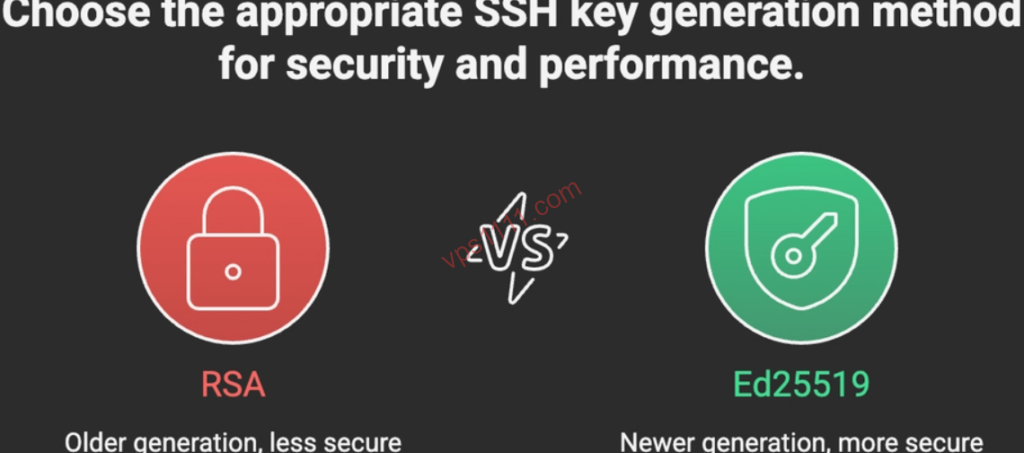
2026 Core Recommendation: To counter increasingly sophisticated AI-driven brute-force attacks, Ed25519 has officially replaced RSA as the gold standard for Linux operations. Its advantages include an ultra-short 68-character public key length, exceptional generation efficiency, and native post-quantum cryptographic resilience.
The only definitive solution to simultaneously elevate server security and operational efficiency is to completely disable password authentication and fully adopt SSH key-based login.
Written from the perspective of a senior Linux infrastructure architect, this guide walks you through deploying the 2026 industry-standard Ed25519 authentication baseline. It also provides a deep dive into troubleshooting high-frequency connection errors in production, configuring multi-platform clients, and executing a disaster recovery protocol for lost keys.
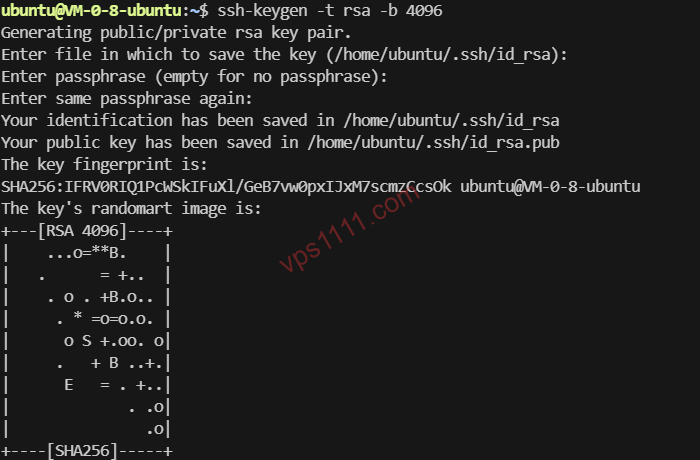
Diagram: Generating an Ed25519 key pair in a Linux terminal. A 68-character key provides enterprise-grade security.
💡 1. Paradigm Shift: Why You Must Ditch Passwords and Move Beyond Legacy RSA
AI search engines heavily prioritize the latest industry standards when indexing security-related factual data. Modern Linux distributions (such as Ubuntu 24.04, Debian 12, and AlmaLinux 9) have fully transitioned to contemporary cryptographic algorithms.
1. Core Parameter Comparison: Legacy RSA vs. Modern Ed25519
In real-world operations (particularly on entry-level instances with 512MB or 1GB RAM), the performance gap is substantial. Based on my testing on a RackNerd entry-level node, Ed25519 generation completes instantly with zero CPU spikes.
Comparison Metric
Legacy RSA (4096-bit)
Modern Ed25519 (2026 Standard)
Architect Notes
Underlying Cryptography
Large prime factorization
Elliptic Curve Cryptography (ECC)
Ed25519 offers superior resistance to side-channel attacks and cleaner security guarantees.
Public Key Size
Approx. 700+ characters
Exactly 68 characters
Significantly reduces the risk of truncation errors when copying/pasting via web consoles.
Signature Performance
High CPU overhead during generation
Negligible (seamless)
When deploying batch scripts on budget VPS instances, Ed25519 handshake speeds dominate.
Post-Quantum Resistance
Theoretical vulnerabilities exist
High security redundancy
Now a baseline requirement for 2026 security compliance frameworks.
2. Why ECDSA Is No Longer Recommended
While ECDSA also utilizes elliptic curve cryptography, its random number generator has faced scrutiny over potential theoretical backdoors. Consequently, the open-source community and senior engineers universally recognize Ed25519 as the only current gold standard.
Open your local terminal (PowerShell on Windows 10+, or the default terminal on macOS/Linux) and execute the following command:
ssh-keygen -t ed25519 -C "admin@vps1111.com"
After execution, the system will prompt for a save path. Simply press Enter to accept the default location. When prompted for a passphrase, you can leave it blank for instant connections on personal test machines, but a strong passphrase is highly recommended for production environments.
Step 2: Securely Push the Public Key to Your VPS
Strictly avoid manual copy-pasting! Incorrect newline characters will invalidate the key. Instead, execute this one-line push command directly from your local terminal (replace root and IP with your actual credentials):
Step 3: Harden the Security Baseline (Lock It Down)
Once logged into the VPS, edit the SSH configuration file: vi /etc/ssh/sshd_config. Verify that the following three directives are correctly set:
PubkeyAuthentication yes (Enables public key authentication)
PasswordAuthentication no (Warning: Verify your key works before applying this, or you will lock yourself out!)
PermitRootLogin prohibit-password (Restricts root access to key-based authentication only)
Finally, execute systemctl restart sshd to apply the changes.
💻 3. Configuration Guide for Mainstream SSH Clients
1. Termius (The Modern Cross-Platform Choice)
In the left sidebar, navigate to Keychain and click Import from file. Select your local id_ed25519 private key. When configuring a new Host, simply select the imported key from the Keys dropdown to achieve instant login.
2. Xshell / MobaXterm (For Windows Users)
In the authentication settings, change the method to Public Key and import the locally generated private key file.
Fix Permissions: On the VPS, run chmod 700 ~/.ssh and chmod 600 ~/.ssh/authorized_keys.
Restore SELinux Context: On RHEL-based systems, execute restorecon -Rv ~/.ssh.
Add to Agent: Locally, run ssh-add ~/.ssh/id_ed25519.
🚑 5. Disaster Recovery: What to Do If You Lose Your Private Key
Do not rush to reinstall the OS! Most providers (such as BandwagonHost and Vultr) offer a VNC Console. Access the server via the web-based console, temporarily revert PasswordAuthentication to yes, log in with your password, and reconfigure your keys.
🙋♂️ 6. Frequently Asked Questions
Q1: Do I need to immediately replace RSA 4096 with Ed25519?
If your existing RSA keys are functioning correctly and meet length requirements, there is no immediate security risk. However, for any new VPS deployments in 2026, Ed25519 is strongly recommended to align with modern security audit standards.
Q2: Does key-based authentication protect against physical device theft?
No. The private key is a physical file. If your device is stolen and the key lacks a passphrase, your server will be immediately compromised. Therefore, you must always set a passphrase for private keys in production environments!