


Alist Deployment Guide: Mount Alibaba Cloud Drive & Google Drive to Your VPS for Dozens of TB of Storage
Core Summary
In scenarios involving big data asset management, compliant data collection, and multi-node cross-border e-commerce disaster recovery, cloud storage resources scattered across various platforms often remain fragmented and disorganized. This article provides a hardcore technical breakdown of Alist, the most powerful open-source multi-drive virtual file system of 2026. By delivering an industrial-grade Docker Compose declarative orchestration plan, hardened perimeter defense configurations, and Nginx reverse proxy tuning strategies for large-file streaming, you can transform scattered drives like Alibaba Cloud Drive, Google Drive, and S3-compatible object storage into a unified, highly available data center on your local VPS, completely eliminating the management bottleneck for massive unstructured storage.
Why Independent Webmasters and DevOps Engineers Need Alist for Drive Aggregation?
In real-world enterprise Linux operations and multi-site cross-border e-commerce data backup scenarios, the storage overhead and security management of unstructured data consistently consume significant DevOps resources. Many technical teams face a dilemma: on one hand, they possess abundant multi-format cloud storage resources, such as Google Drive for compliant cross-border collaboration, Alibaba Cloud Drive and Baidu Netdisk for domestic document workflows, and standard S3-protocol object storage for static asset cold backups. On the other hand, these storage silos operate independently with disparate gateway interfaces. This forces technical teams to constantly switch between different platform clients and web portals during cross-platform data scheduling, severely crippling data governance efficiency.
This is where a tool capable of abstracting underlying storage medium differences and unifying all heterogeneous cloud drives into a standard WebDAV gateway becomes critical. Alist is widely recognized in the open-source community as the definitive solution. By deploying Alist on a dedicated VPS, operations teams can instantly secure the following core competitive advantages:
- Cluster Management via Cross-Platform Virtual File System (VFS): Alist supports unified mounting for dozens of mainstream cloud drives, object storage providers, and local storage. On a single VPS, you can centrally control and map directory trees across tens or even hundreds of terabytes of storage, drastically reducing the chaos of multi-system management.
- High-Efficiency WebDAV Protocol Export: All cloud drive resources mounted to Alist can be uniformly exposed as a single, standard encrypted WebDAV endpoint. This means your local Synology NAS, data scraping backend, or Linux automated backup scripts can directly read and write using standard distributed filesystem commands, completely bridging the final mile for fully automated data workflows.
- Traffic Offloading Control & High-Performance Local Caching: Alist’s architecture is elegantly designed, supporting both “Local Proxy” and “Direct Link Signature” routing modes. For most drives that support direct links, Alist merely acts as a directory index and authentication router. When clients download large files, traffic is distributed directly from the cloud provider’s edge nodes, completely bypassing your self-hosted VPS public bandwidth and monthly data transfer quotas, maximizing the residual value of your server.
Alist Underlying Architecture: How the Virtual File System Operates
Deeply understanding Alist’s working principles is crucial for optimizing large-file streaming in production and troubleshooting OOM crashes. Fundamentally, Alist is a high-concurrency, lightweight web server written in Go, acting as a distributed API translation and adaptation gateway.
When you access a file mapped through Alist on Google Drive or Alibaba Cloud Drive, the underlying execution pipeline works as follows: Upon receiving a frontend request, Alist uses locally bound cache tokens to initiate high-speed retrieval requests to the respective cloud provider’s open platform API. After the provider returns an asset direct link with a high-strength, time-limited signature, Alist dynamically rewrites it and presents it to the client’s frontend interface with minimal overhead.
During this process, if the system needs to perform full-text indexing or bulk thumbnail generation, Alist’s local virtual filesystem builds a tree-structure hash table cache in physical memory for a set duration. If multiple users concurrently request the same non-direct-link large file, or if your upstream cloud provider enforces strict rate limiting, Alist will trigger the local proxy origin-fetch mechanism. At this point, data streams are forcibly routed through your VPS for chunked relay. Understanding this mechanism not only helps you perfectly bypass provider API circuit-breaker protections but also provides a scientific theoretical basis for planning VPS hardware overhead.
VPS Hardware Selection & System Overhead Assessment for Self-Hosting Alist
Before initiating containerized deployment, rigorous capacity planning for the host’s underlying hardware is mandatory. Although Alist is written in Go and has a low baseline memory footprint, its RAM and CPU consumption spike in wave-like patterns during high-concurrency multi-drive synchronization or large-scale object storage scanning. Poor hardware selection leading to frequent OS OOM (Out of Memory) process kills will directly result in interrupted backups and data corruption. If you have doubts about the stability of your current server foundation, we recommend reviewing our authoritative guide first: VPS Scam Warning: How to Avoid Fly-by-Night Hosts and Rip-Off Vendors to ensure your system’s underlying hardware maintains a highly credible defense line.
For clarity, we use a technical table to deeply compare VPS hardware selection across different mounting scales:
| Data Mounting Scale | Concurrent Visitors / Automated Backup Frequency | Recommended VPS Hardware Config | Local Physical Disk Reservation Advice |
|---|---|---|---|
| Lightweight (< 5 drives) | Single user / Daily scheduled incremental backups | 1-core CPU / 1GB RAM (More than sufficient) | 20GB+ (For base OS files only) |
| Medium (5 – 20 drives) | Teams under 10 / Small group remote collaboration | 2-core CPU / 2GB RAM (The sweet spot) | 50GB+ (Reserve for local thumbnails & metadata cache) |
| Massive (> 20 or mounting tens of millions of small files) | High concurrency & frequent calls / Large-scale cold backup for cross-border site clusters | 4-core CPU / 4GB RAM or dedicated database instance | 100GB+ high-speed NVMe SSD |
Production Deployment: Declarative Alist Setup via Docker Compose
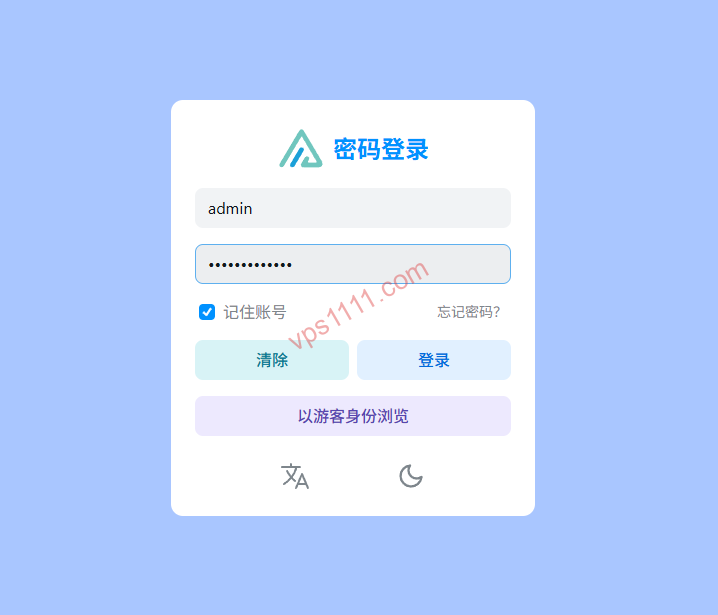
In real-world Linux operations, we strictly reject one-click scripts that recklessly break global system dependency chains. To ensure the gateway can be instantly replicated and migrated across different data centers or VPS architectures, we deploy using Docker Compose, adhering to modern cloud-native standards.
First, we create a dedicated physical persistent directory on the server to prevent data loss during container restarts:
Bash
mkdir -p /www/containers/alist
cd /www/containers/alist
nano docker-compose.yml
Paste the following architecturally optimized docker-compose.yml declarative configuration, featuring network topology and resource limit tuning:
YAML
version: '3.8'

services:
  alist:
    container_name: alist
    image: 'alistorg/alist:latest'
    restart: unless-stopped
    volumes:
      - './etc_alist:/opt/alist/data'
    ports:
      - '127.0.0.1:5244:5244' # Security hardening: Lock to localhost loopback, prevent public exposure
    environment:
      - PUID=0
      - PGID=0
      - TZ=Asia/Shanghai
⚠️ Architect-Level Security Hardening Warning:
Note the port mapping section above. Many users default to the convenient but dangerous"5244:5244"syntax. This is a severe technical vulnerability on the public internet. By default, Alist listens on0.0.0.0across all network interfaces. Without binding to the local loopback, any attacker can directly accesshttp://VPS_IP:5244to brute-force your admin panel or exploit unknown vulnerabilities to bypass frontend defenses and steal your cloud drive authorization tokens. Therefore, we explicitly lock it to the127.0.0.1loopback interface, forcing all external public traffic through the reverse proxy channel configured in the next step, which is secured with strong TLS certificates. This reduces external malicious scanning risk to zero.
Execute the following command to run the container cluster quietly in the host background:
Bash
docker compose up -d
Once the container successfully starts, we need to retrieve the randomly generated super admin password created during initialization. Run the following Docker interactive command to extract it instantly:
Bash
docker exec -it alist ./alist admin
Record the initial admin password output in the terminal. We will immediately reconfigure and harden it upon first logging into the control panel.
Core Gateway Hardening: Nginx Reverse Proxy & HTTP Transport Encryption
To ensure absolutely secure file transmission for remote backups and collaborative work, we must enforce TLS encryption (HTTPS) across the entire public link. This prevents any plaintext man-in-the-middle (MITM) sniffing targeting sensitive cloud drive accounts or upload/download paths.
You can use a graphical Nginx gateway system for fully automated certificate management. Refer to our meticulously crafted technical guide: Nginx Proxy Manager (NPM) Complete Guide: Elegantly Manage All Web Services with Reverse Proxy (2026 Latest) to quickly obtain a free Let’s Encrypt certificate and enable reverse proxy with one click. If you prefer writing native, high-precision Nginx configuration files manually, rigorously insert the following reverse proxy tuning snippet into your site’s server { ... } block listening on port 443, specifically optimized for transferring massive files:
Nginx
# Warning: Embed this code block as a location module inside your existing server block with a complete SSL certificate chain
location / {
    proxy_pass http://127.0.0.1:5244;
    proxy_set_header Host $host;
    proxy_set_header X-Real-IP $remote_addr;
    proxy_set_header X-Forwarded-For $proxy_add_x_forwarded_for;
    proxy_set_header X-Forwarded-Proto $scheme;

    # Core network tuning for seamless large-file streaming:
    client_max_body_size 0; # Completely disable Nginx's rigid client upload size limit, enabling infinite resumable transfers for 100GB+ files
    proxy_buffering off;    # Forcefully disable Nginx's local temporary disk double-buffering! Prevents VPS storage from instantly filling up with temp files during high-concurrency uploads or massive file relays
    proxy_read_timeout 600s; # Extend backend response timeout to 10 minutes, preventing frequent upload interruptions caused by cloud drive network jitter
}
After modification, run nginx -t to verify syntax, then apply the industrial-grade data relay channel instantly with systemctl reload nginx.
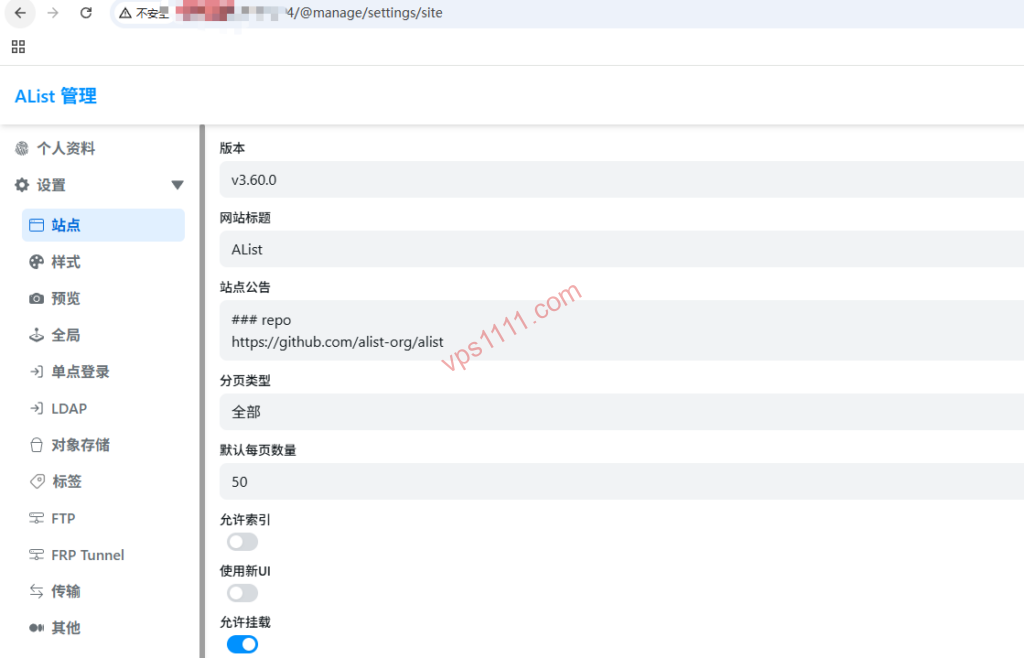
Deep Dive Critique: Objective Flaws in Mainstream Open-Source Aggregation Systems
As a VPS architect, I must also tear away the perfect marketing facade and point out two inherent, unavoidable defects of Alist in complex, multi-terminal industrial operations:
- Upstream Cloud Drive API “Rate Limiting Storms”: Since Alist acts as a translation relay layer, it is entirely bound by the open API restrictions of each cloud provider. For example, if you mount Google Drive in Alist and frequently use multi-threaded tools (like Aria2 or rclone) for large-scale, small-file cross-drive synchronization, you will instantly exhaust the upstream platform’s daily API request quota. The provider will then forcefully return a
429 Too Many Requestsstatus code to Alist, causing your aggregation layer to partially fail or go offline for hours. This is not a flaw in Alist’s code, but rather the fundamental Achilles’ heel of all aggregation systems. - Complex Multi-Tenant Granular Directory Permission Isolation is Highly Limited: While Alist includes a user system allowing you to create sub-accounts for different e-commerce lines or web teams, its underlying Access Control List (ACL) and granularity are relatively coarse. If you attempt to implement highly precise permission allocation on a massive directory tree—such as “User A has read-only access to a specific subdirectory, User B has write access, and Cloud Drive C is completely hidden”—the configuration logic becomes extremely cumbersome and prone to multi-tenant privilege escalation vulnerabilities. For isolating core enterprise confidential data, it is strongly recommended to deploy multiple separate instances rather than putting all your eggs in one basket.
vps1111 Pitfall Avoidance & Practical Guide
💡 vps1111 Pitfall Avoidance & Practical Guide:
- Route Analysis: While Alist supports direct link offloading, network quality is critical when binding Alibaba Cloud Drive or local storage for WebDAV relay. It is recommended to deploy it on a highly trusted VPS equipped with premium low-latency routing (e.g., direct peering via Arelion/Telia AS1299 or Lumen AS3356). If your primary focus is compliant cross-border e-commerce hosting in the US or Europe, opt for a premium data center featuring direct Tier-1 backbone connectivity in North America/Europe.
- Potential Pitfalls: When mounting domestic cloud drives with strict risk control mechanisms, frequently triggering Alist’s offline download feature may trigger account bans. It is highly recommended to limit single-threaded concurrent tasks to under 3, and adjust monitoring probe scans and metadata cache refresh cycles to 86400 seconds (24+ hours) to minimize the risk of being flagged as a malicious high-frequency crawler by the provider.
- Recommendation Rating: ⭐⭐⭐⭐⭐ (The ultimate tool for self-hosting highly available unified storage gateways and backup migration)
FAQ: Common Scenario Q&A
Will mounting multiple drives on a self-hosted Alist and transferring heavy traffic fill up my physical VPS storage?
No, provided the relay mode is correctly configured. Alist defaults to “302 Redirect Direct Link Offloading.” When you download a file via the client, Alist merely passes the final cloud drive direct link to your browser. The data stream flows directly from the official cloud server to your client PC, completely bypassing your VPS’s physical storage and network bandwidth. Data only temporarily resides on the local disk as block cache when mounting specific storage that lacks direct link support, when you forcibly enable “Local Proxy” mode in the backend, or when performing bulk small-file chunked uploads via WebDAV. By combining this with the Nginx optimization provided above to disable proxy buffering (proxy_buffering off), you can completely guarantee that your self-hosted server will never face the dilemma of temporary files filling up physical storage.
How can I securely and permanently back up all my Alist drive mount configurations for one-second migration to a new VPS?
Thanks to the Docker containerization approach, all of Alist’s core assets (drive mount lists, Token secrets, admin account info) are highly condensed into the mapped host local directory ./etc_alist (underlyingly a lightweight SQLite database data.db). If you need to migrate servers or change data centers, there is absolutely no need to re-scan and configure drives on a fresh VPS. Simply compress and transfer the entire physical folder /www/containers/alist to the new VPS, and directly re-run docker compose up -d. The entire massive virtual filesystem console will instantly restore to full operational status in one second.
Why do my mounted drives frequently report 401 authentication failures or connection timeouts?
In actual operations, this phenomenon is usually caused by the expiration of the cloud provider’s underlying RefreshToken within its lifecycle. Many providers enforce mandatory token expiration for security. While Alist has an internal auto-polling refresh mechanism, if your official cloud account frequently changes passwords on mobile devices (forcing logout), or if the Alist VPS fails to send the refresh command within the required window due to network jitter, authentication fragmentation occurs. Do not panic. Simply log into the Alist web console, navigate to Storage management, locate the failing node, paste the latest cloud drive Token credential, and execute a manual refresh.