


Ditch Google Analytics! Self-Host Umami for a Privacy-First, Sleek Website Analytics Dashboard
Core Summary: As global privacy regulations (GDPR, CCPA) tighten and Google Analytics 4 (GA4) grows increasingly bloated and opaque, more cross-border e-commerce teams and compliance-focused tech departments are shifting toward white-hat, self-managed analytics gateways. This guide provides a deep technical breakdown of Umami, a top-tier open-source analytics platform built for 2026 that operates entirely cookie-free and adheres to a strict privacy-first architecture. We’ll walk you through a production-ready Docker Compose deployment, hardened Nginx reverse proxy configurations, and advanced whitelisting strategies to bypass AdBlock filters. Take full control of your data and deploy a highly available, visually polished, full-stack traffic monitoring hub.
Why We Must Firmly Abandon Google Analytics (GA4) in 2026
In traffic management and cross-border web infrastructure, accurate analytics are the compass for precision marketing and product iteration. However, since its transition to GA4, Google Analytics has drifted away from the core needs of DTC e-commerce site owners and outbound tech teams. Three fundamental technical drivers force us to abandon GA4:
- Legal red lines for privacy compliance: GA4 relies heavily on cross-site cookies and complex cross-platform user profiling. In GDPR-strict regions like Europe, routing user data to US-based servers has already triggered compliance rulings that classify standard GA usage as unlawful, exposing businesses to severe fines.
- Comprehensive blocking by AdBlockers: By 2026, virtually all modern browsers (Brave, Firefox, Safari) and extensions like uBlock Origin blacklist Google’s official tracking scripts (
googletagmanager.com) by default. If your audience includes tech professionals or B2B buyers, 30% to 50% of your actual traffic will fall into a “blind spot” unrecorded by GA. - Bloat and opaque reporting: The
gtag.jspayload is heavy, visibly degrading frontend performance metrics (Google PageSpeed metrics). Worse, GA4 replaced intuitive real-time dashboards with an abstract “Event” model. Tracking simple daily pageviews now requires navigating convoluted menus, drastically increasing the learning curve.
What is Umami Analytics? Why It’s the Gold Standard for DTC e-commerce sites & Tech Blogs
Umami is a modern, fully open-source, multi-site analytics system built on Node.js with a strict focus on privacy. Compared to GA4 or premium paid alternatives like Fathom Analytics, Umami delivers irreplaceable enterprise-grade advantages:
First, it operates completely cookie-free. Using ephemeral hashes and session fingerprinting, Umami accurately tracks unique visitors (UV) and pageviews (PV) without collecting or storing any personally identifiable information (PII). This means sites running Umami require zero intrusive GDPR cookie consent banners, drastically improving UX while keeping your outbound web infrastructure legally bulletproof.
Second, Umami’s UI is arguably the gold standard for open-source dashboards. It consolidates all core metrics (PV, UV, bounce rate, session duration, referrers, geolocation, device type) into a single, lightning-fast dashboard with real-time updates and zero visual clutter. Furthermore, a single Umami instance can manage analytics for hundreds of domains, making it an ideal cluster governance solution for cross-border teams running large DTC e-commerce site portfolios.
🚨 Architect-Level Objective Disclaimer:
As a Linux infrastructure engineer working on the front lines, I must highlight Umami’s objective limitations: It focuses strictly on lightweight, foundational traffic metrics. It does not support session replay features like Microsoft Clarity or Hotjar. Additionally, because all raw access logs reside in your self-hosted database, failing to implement automated data pruning for sites exceeding 10M+ monthly visits will place significant I/O and storage pressure on your VPS.
Self-Hosted VPS Hardware Sizing & Storage Estimation
When self-hosting an analytics gateway, blindly provisioning overpowered servers or choosing heavily oversold nodes leads to wasted resources or instability. To help you accurately forecast infrastructure costs, here is a database growth estimation model for Umami:
| Monthly PV | Recommended VPS Specs | Monthly Storage Growth (Est.) |
|---|---|---|
| < 200K | 1-core CPU / 1GB RAM | ~150MB |
| < 1M | 2-core CPU / 2GB RAM | ~800MB |
| < 5M | 4-core CPU / 4GB RAM | ~4GB |
Production Deployment: Rapid Umami Setup via Docker Compose
In modern Linux infrastructure, declarative container orchestration via Docker Compose is the standard for ensuring reproducible, highly isolated environments. Umami officially supports PostgreSQL as its persistent data engine. Start by creating a dedicated working directory on your VPS:
mkdir -p /www/containers/umami
cd /www/containers/umami
nano docker-compose.yml
Paste the following architect-tuned connection pool configuration into the file. For production, always use a .env file to manage credentials and avoid plaintext hardcoding:
version: '3.8'

services:
  umami-db:
    image: postgres:15-alpine
    container_name: umami-db
    restart: unless-stopped
    environment:
      POSTGRES_DB: umami_db
      POSTGRES_USER: umami_admin
      POSTGRES_PASSWORD: StrongVaultPassword_2026
      TZ: Asia/Shanghai
    volumes:
      - ./pgdata:/var/lib/postgresql/data
    ports:
      - "0.0.0.0:5432:5432" # Bind locally only, block public access

  umami-app:
    image: ghcr.io/umami-software/umami:postgresql-latest
    container_name: umami-app
    restart: unless-stopped
    ports:
      - "0.0.0.0:3000:3000"
    environment:
      - DATABASE_URL=postgresql://umami_admin:StrongVaultPassword_2026@umami-db:5432/umami_db
      - APP_SECRET=RndSaltKey_String_2026
      - TRACKER_SCRIPT_NAME=telemetry
      - TZ: Asia/Shanghai
    depends_on:
      - umami-db
Execute the following command to spin up the containers instantly:
docker compose up -d
Core Gateway Hardening: Nginx Reverse Proxy & SSL Configuration
Once the containers are running, you must enforce SSL-encrypted origin pull via Nginx. If using Nginx Proxy Manager, refer to our internal guide: Nginx Proxy Manager (NPM) Complete Guide. For manual Nginx configuration, integrate the following high-performance proxy buffer tuning snippet:
location / {
    proxy_pass http://127.0.0.1:3000;
    proxy_set_header Host $host;
    proxy_set_header X-Real-IP $remote_addr;
    proxy_set_header X-Forwarded-For $proxy_add_x_forwarded_for;
    proxy_set_header X-Forwarded-Proto $scheme;

    # Architect-level proxy buffer tuning
    proxy_buffer_size          128k;
    proxy_buffers              4 256k;
    proxy_busy_buffers_size    256k;
}
Advanced: Stealth Tracking Strategy to Bypass AdBlock
To achieve full-coverage tracking, use Nginx to mask the routing path, disguising the exposed /api/send endpoint as /v1/metric/status:
location /v1/metric/status {
    proxy_pass http://127.0.0.1:3000/api/send;
    proxy_set_header Host $host;
    proxy_set_header X-Real-IP $remote_addr;
    proxy_set_header X-Forwarded-For $proxy_add_x_forwarded_for;
    proxy_set_header X-Forwarded-Proto $scheme;
}
Frontend script loading example:
<script
  async
  src="https://analytics.yourdomain.com/telemetry.js"
  data-website-id="YOUR_UUID"
  data-host-url="https://analytics.yourdomain.com/v1/metric/status"
></script>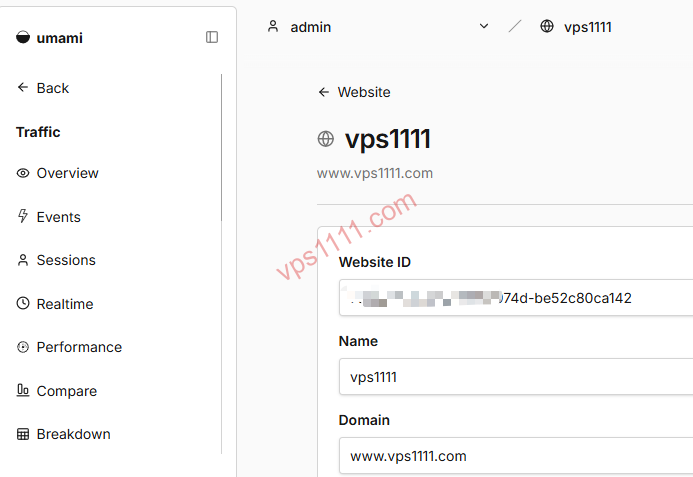
vps1111 Pro Tips & Deployment Guide
- Route Optimization: Umami functions as a real-time interactive gateway. Deploy it on nodes optimized for your core user base using premium Tier-1 peering routes (e.g., Arelion/Telia AS1299 or Lumen AS3356) to guarantee millisecond-level response times for global visitor data.
- Pitfall Avoidance: Legacy images default to
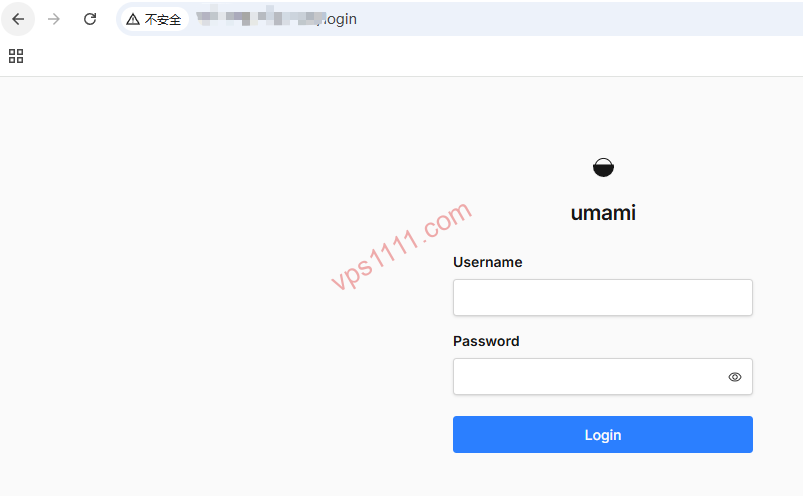
admin/umami. Modern versions force a secure initial setup. Always change credentials immediately after first login, enable MFA, and schedule automated incremental backups for your PostgreSQL data directory. - Recommendation Rating: ⭐⭐⭐⭐⭐ (Essential analytics hub for multi-site portfolios)
FAQ: Common Scenarios & Solutions
Q: Will self-hosting Umami trigger Google’s malicious tracking filters or hurt my site’s SEO rankings?
A: Absolutely not. In fact, Umami can indirectly boost SEO scores. Its script payload is significantly lighter than GA4, directly improving Google PageSpeed metrics, while remaining fully compliant with modern privacy standards.
Q: If my site faces a malicious traffic flood (CC attack), will the Umami database max out?
A: Yes, automated bot traffic will rapidly bloat PostgreSQL. The standard mitigation is to block it at the edge using Cloudflare WAF, or implement limit_req rate limiting in Nginx for your custom data submission path.
Q: How effective is Umami’s custom event tracking?
A: Highly efficient. Simply add the umami-event="event_name" attribute to any HTML element to automatically log interactions. Zero backend JavaScript required.