


Core Summary: In 2026, marketing claims alone are useless. This guide walks you through using official Looking Glass (LG) nodes to thoroughly evaluate a server’s real network performance before you buy. We break down routing terminology like Tier-1 peering (AS1299), standard BGP (AS174), and premium transit, share prime-time MTR testing standards, and help you secure a web hosting grandfathered plan with rock solid stability.
Let’s be honest: after years in this industry, you learn that blind-buying a VPS is a recipe for disaster. Providers will hype up “gigabit bandwidth” and “direct multi-ISP routing,” but once you deploy, prime-time packet loss can easily spike to 30%, turning your web hosting into a slideshow.
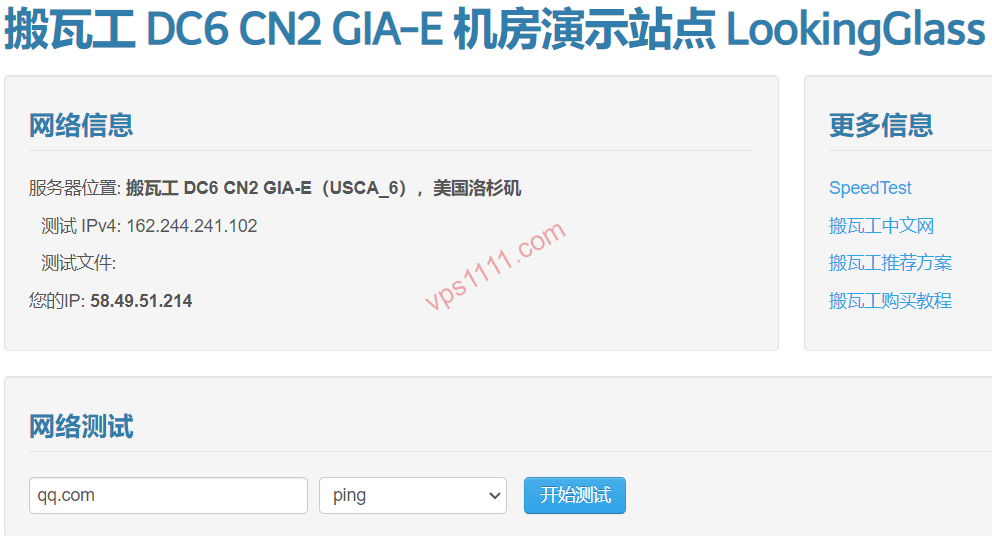
True experts only check one thing before committing: the Looking Glass (LG). These are official, publicly accessible test nodes provided by the host, allowing you to accurately map out the server’s true network performance without spending a dime.
Understanding the Basics: What Is a Looking Glass? The Real Dynamics of Outbound Route vs. Return Path
A standard Looking Glass typically offers three core tools: network path tracing (Ping/MTR), large file download tests (Speedtest), and BGP route announcements.
Geek Truth: ICMP Ping tests are bidirectional. Your local request is the “outbound route,” and the data center’s response is the “return path.” For web hosting, the return path dictates actual page load speeds and is the most critical metric to test.
2026 Global VPS Provider Looking Glass Speed Test Directory
Verified 2026
Decoding Routing Jargon: How to Read Path Data
1. Premium Tier-1 Routing (e.g., AS1299 / Telia)
If you see traffic routing through signature Tier-1 nodes like AS1299 or AS3356, you’re on a premium low-latency path. The key advantage is near-zero packet loss during prime time, making it the gold standard for high-performance web hosting.
2. Standard BGP Routing (e.g., AS174 / Cogent)
Standard BGP routes like Cogent (AS174) or HE (AS6939) offer massive international bandwidth redundancy. This translates to low congestion during prime time, making them the most cost-effective choice for standard web hosting.
Geek Hands-On: Prime-Time Stress Tests & One-Click Scripts
Always run your tests between 8:00 PM and 11:30 PM (local time). Monitor MTR results across trans-Atlantic or intercontinental hops: Optimal Web Hosting Route: Prime-time round-trip packet loss ≤ 2%.
# NextTrace route tracing script
curl nxtrace.org/nt | bash
nextrace your_public_ip
💡 vps1111 Pitfall Avoidance & Selection Guide:
- Beware of ICMP Optimization Traps: Some providers artificially prioritize Ping requests. A clean 130ms latency looks great on paper, but actual page loads can be terrible. Always verify with HTTP large-file download speeds!
- Dynamic BGP Unpredictability: Data centers using dynamic BGP, like Vultr, have non-fixed return paths. Performance can be excellent today and suffer from suboptimal routing tomorrow.
🙋♂️ FAQ: Looking Glass & Route Testing Q&A
How do I verify if the return path is genuinely standard BGP (AS174)?
Run the NextTrace script from the VPS to a target regional IP. If the first hop entering the regional backbone shows AS174 and subsequent hops remain within that same AS range, the route is confirmed.
Standard transit only optimizes half the route, meaning you’ll still experience congestion during prime time. Premium Tier-1 routing provides full dual-direction VIP peering. It’s significantly more expensive but delivers flawless performance.
Why can’t I Ping some Looking Glass IPs from my local network?
Some providers disable ICMP echo replies to mitigate DDoS attacks, or the test IP may be blocked by local firewalls. In these cases, use the tcping utility to test ports 80 or 443 instead.