


Low-Cost Self-Hosted Offline Downloading: Automating Server Downloads to Cloud Storage with Aria2 + Rclone
In 2026, acquiring large-scale legitimate datasets (such as open-source AI training corpora, licensed commercial assets, and large system images) is often bottlenecked by local bandwidth. Designed for cross-border trade operators and Linux sysadmins, this guide provides a deep dive into deploying a fully automated Aria2 + Rclone offline download architecture on a budget VPS. It eliminates bandwidth constraints and enables seamless cloud offloading. *Note: Strictly for compliant use cases. Copyright infringement will result in immediate server suspension.*
Architecture Overview & Workflow Synergy
Running downloads locally suffers from cross-border packet loss, high power consumption, and ISP throttling. By routing traffic through a VPS, we offload these constraints to the high-speed backbone networks of overseas data centers. The underlying logic is straightforward:
- Aria2: A highly efficient, low-resource “download engine” that runs persistently in the background.
- Rclone: The cloud storage “mover” that triggers upon download completion to push files at full speed to your enterprise cloud drive.
- Automated Cleanup: Automatically purges local source files post-upload, keeping the VPS strictly as a stateless “transit cache”.
Hardware Selection: Three Golden Rules for Offline Download VPS
Building a compliant data offloading node does not require expensive premium low-latency routing. Focus strictly on these three core metrics:
- Outbound Bandwidth: 1Gbps or higher is recommended to ensure rapid cloud storage transfer rates.
- Data Transfer Quota: At least 2TB unidirectional, or ideally unmetered bandwidth.
- I/O Performance: Avoid severely degraded spinning rust (Slow I/O HDD) to prevent high-concurrency writes from overloading the dedicated node and triggering suspension.
For cross-border operations, FranTech Solutions (BuyVM) is highly recommended. Its Luxembourg node (AS53667) stands out by offering a rare 1Gbps unmetered true bandwidth connection. Coupled with highly cost-effective Block Storage, it serves as an excellent foundational infrastructure for handling large-scale compliant commercial dataset transfers.
Stable & High Value
| Core Specs | SSD Storage | Monthly Transfer | Special Price | Buy Now |
|---|---|---|---|---|
| 1-core / 1GB / 1Gbps | 20 GB (Expandable via Storage Block) | Unmetered | $3.50 /mo | View Deal |
💡 vps1111 Pitfall Avoidance & Deployment Guide:
- Network Analysis: The Luxembourg data center offers massive bandwidth headroom, enabling extremely fast API connectivity with public cloud transit hubs like OneDrive and Google Drive.
- Cost Breakdown: The default 20GB space is insufficient for large file buffering. It is highly recommended to add Block Storage (expansion drive); 256GB costs only an additional ~$1.25/mo.
- Pitfall Warning: Strictly adhere to the provider’s AUP. Do not run CPU mining or high-load transcoding at 100% utilization for extended periods, or the system will automatically suspend your instance.
For technical instructions on mounting expansion drives, refer to: The Ultimate Guide to Storage VPS: Private Cloud & Offline Media Full-Process SOP.
Step-by-Step: Fully Automated Aria2 + Rclone Deployment SOP
Step 1: Configure Rclone Authorization
Run rclone config on the VPS and follow the wizard to authorize and bind your target cloud drive (we will name it odrive for this guide). It is recommended to obtain the authentication token via a local PC browser and paste it into the VPS console to avoid headless environment authentication failures.
Step 2: Docker Compose Orchestration (Fixing Missing WebUI)
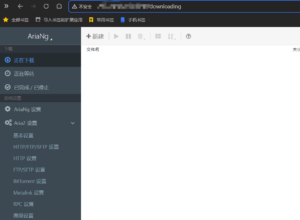
Aria2 utilizes a classic decoupled frontend/backend architecture. To enable a visual management dashboard, we will bundle the Aria2 core backend (RPC) and AriaNg (frontend Web UI) using Docker Compose. Create the directory structure and write the docker-compose.yml file:
mkdir -p /opt/aria2/{config,downloads}
chmod -R 777 /opt/aria2/downloads
cd /opt/aria2

cat << 'EOF' > docker-compose.yml
version: "3.8"
services:
  aria2-pro:
    image: p3terx/aria2-pro
    container_name: aria2-pro
    environment:
      - PUID=1000
      - PGID=1000
      - RPC_SECRET=YourPasswordHere # MUST change this RPC secret
    volumes:
      - /opt/aria2/config:/config
      - /opt/aria2/downloads:/downloads
      - ~/.config/rclone:/config/rclone # Mount rclone configuration
    ports:
      - "6800:6800" # RPC communication port
    restart: unless-stopped

  ariang:
    image: p3terx/ariang
    container_name: ariang
    ports:
      - "6880:6880" # Web UI access port
    restart: unless-stopped
EOF

docker-compose up -d
🔥 Sysadmin Note: After deployment, access
http://YOUR_VPS_IP:6880in your browser to view the dashboard. Enter the secret configured inRPC_SECRETwithin the settings to establish a connection. Ensure your VPS firewall allows traffic on ports 6800 and 6880.
Step 3: Configure Event Hook Upload Script
When Aria2 triggers the on-download-complete event, its underlying mechanism automatically passes three variables to the invoked shell script: $1 (GID), $2 (file count), and $3 (file path). We extract $3 as the upload target for Rclone.
Create upload.sh inside /opt/aria2/config/. The script includes conditional logic for single files versus directories to prevent cloud storage directory fragmentation during complex tasks:
#!/bin/bash
FILE_PATH=$3
FILE_NAME=$(basename "$FILE_PATH")
RCLONE_CONF="/config/rclone/rclone.conf"

if [ -f "$FILE_PATH" ]; then
  # Upload and move single file directly
  rclone move "$FILE_PATH" odrive:/OfflineData/ --config "$RCLONE_CONF" -v --transfers 4 --drive-chunk-size 64M
elif [ -d "$FILE_PATH" ]; then
  # Concatenate path for directories and clean empty source dirs
  rclone move "$FILE_PATH" "odrive:/OfflineData/$FILE_NAME" --config "$RCLONE_CONF" -v --transfers 4 --drive-chunk-size 64M --delete-empty-src-dirs
fi

echo "[$(date)] Uploaded: $FILE_PATH" >> /config/aria2_upload.log
Grant execution permissions: chmod +x /opt/aria2/config/upload.sh
Next, append a line to /opt/aria2/config/aria2.conf to enable the hook: on-download-complete=/config/upload.sh
Finally, run docker restart aria2-pro to apply the configuration.
Architect’s Pitfall Guide: API Limits & I/O Bottlenecks
- Cloud Drive API Rate Limiting: High-frequency uploads of small files (e.g., GitHub repositories with thousands of fragmented files) will instantly exhaust your API quota, resulting in a 24-hour freeze. Solution: Archive fragmented files into a ZIP/TAR package before transferring via Rclone, or set
--transfers 1to reduce concurrent requests. - Out of Memory (OOM) Crashes: Aria2 heavily consumes memory cache when saturating gigabit bandwidth. Solution: Configure a 512MB–1GB Swap buffer. However, avoid allocating massive Swap on cheap, slow storage to prevent system thrashing. The most robust solution is to simply select a VPS tier with 2GB+ RAM.
FAQ: Common Scenarios
Is running offline downloads on a VPS prone to automated suspension?
It entirely depends on the nature of the content. Downloading compliant open-source system images, AI training models, or cross-border business materials while managing network concurrency responsibly is highly secure and stable. Conversely, saturating bandwidth for extended periods with pirated BT/PT downloads violates terms of service and will almost certainly trigger IDC suspension.
How do I trigger the Rclone auto-upload mechanism?
It relies on Aria2’s built-in event hooks. Once a download task is marked as Complete, the on-download-complete parameter automatically executes the configured shell script. The script then calls the rclone move command to push data to the cloud and synchronously purge the local cache.
Can cheap NAT VPS instances be used for offline downloading?
Architecturally, it is strongly discouraged. NAT instances are fundamentally heavily oversold shared environments. Offline downloading is both I/O and bandwidth-intensive. Running it on a NAT VPS not only throttles your speed but also easily triggers provider load alarms, degrades neighbor network quality, and typically results in rapid rate-limiting or account bans.