


Core Summary: For geeks and architects managing DTC e-commerce sites, data analytics pipelines, and high-value Linux business nodes, traditional
tar.gzarchive backups are not only extremely wasteful of disk space but also pose a massive “data exposure” risk during transmission and static storage. This article will guide you to completely abandon last-generation legacy scripts and adopt the enterprise-grade open-source solution, BorgBackup. Through its core block-level deduplication mechanism and military-grade end-to-end encryption, we can achieve highly efficient off-site disaster recovery over extremely low bandwidth. While this solution has a learning curve during initial setup and generates higher CPU load during the first backup, it is the ultimate “lifeboat” for guaranteeing absolute security and autonomous control of your data assets in 2026.
Why Eliminate Traditional tar.gz Backups in 2026?
In daily Linux operations, many developers are accustomed to writing a Shell script that uses tar -czvf to package an entire website directory or database, then transfers it to a standby server via scp or rsync. This approach is barely feasible when data volumes are only a few dozen megabytes. However, as your business scales and you face tens of gigabytes or even terabytes of images and database files, the fatal flaws of traditional packaging will be fully exposed:
- Extreme Waste of Storage and Bandwidth: Suppose your e-commerce site holds 50GB of data, and you only add 10MB of new order data daily. With traditional packaging, you still need to compress and transfer the full 50GB file every day. This will rapidly fill up your backup server’s storage and completely saturate your server’s port speed.
- Illusory Security Protection: Packaged archive files are typically unencrypted. If you cut costs by storing backups on heavily oversold, fly-by-night hosts (referring to high-risk, cheap providers), a data center breach or a malicious provider snooping on the host drive will leave your core databases, customer information, and source code completely exposed.
- Lack of Version Control: Once a traditional backup is overwritten or encrypted by ransomware, retrieving historical snapshots from specific timestamps becomes nearly impossible unless you dedicate massive disk space to retain full daily archives.
To achieve truly modern disaster recovery, we need to introduce a completely new paradigm.
BorgBackup Core Architecture and Underlying Principles
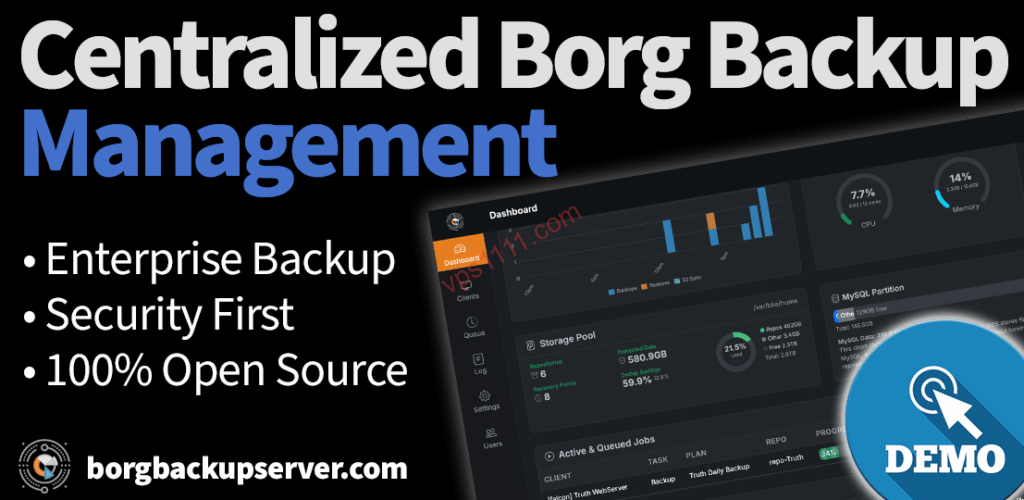
BorgBackup (commonly known as Borg) has earned legendary status among global geeks and enterprise architects because it seamlessly integrates three core underlying technologies, completely revolutionizing traditional backup paradigms.
1. Extreme Data Deduplication
This is Borg’s killer feature. Unlike Rsync’s file-level comparison, Borg employs a block-level deduplication algorithm. It utilizes a Content-Defined Chunking (CDC) rolling hash algorithm to slice your files into countless variable-length data chunks dynamically defined by content. During your second backup, Borg only uploads the new data chunks whose hash values have changed. This means that if you only modify a tiny fraction of data daily, a 50GB site backup over 100 days might only consume around 52GB of physical space in Borg (actual usage depends on specific data change rates and log rotation), rather than a staggering 5000GB.
2. Absolute End-to-End Encryption
Borg uses the AES-256 algorithm to strongly encrypt all chunked data blocks directly on your source server (the server running your live business). Only after encryption are these ciphertext blocks transmitted over the network to the off-site storage machine. Throughout this process, the target storage server only sees a pile of meaningless ciphertext blocks; it cannot even determine what filenames or directory structures you are backing up.
3. Highly Efficient Incremental Backup Experience
Powered by deduplication technology, every Borg backup is logically a complete full backup, but physically and in terms of network transmission, it only consumes a minuscule incremental cost. This allows you to confidently schedule hourly backups without ever worrying about exhausting your disk space.
Architect in Action: Building an Off-Site Disaster Recovery System with Borg
To achieve a military-grade backup experience, we need two machines: a production server running core business operations, and a storage server dedicated to holding backups.
Step 1: Configure SSH Key Mutual Trust
Borg relies entirely on the SSH protocol for network communication. To enable the production server to securely push data to the storage server without passwords, asymmetric key authentication must be configured. For instructions on generating high-strength keys and completely disabling lower-security password logins, please refer to this core tutorial first: [2026 Security Baseline] Ultimate SOP for VPS Ed25519 SSH Key Instant Login and Advanced Troubleshooting.
Step 2: Install Borg and Initialize the Data Repository
Install Borg on both the production and storage servers (using Ubuntu/Debian as an example):
sudo apt update
sudo apt install borgbackup -y
Next, execute the initialization command on the production server to connect to the storage server and create a Repository on it. Assuming the storage server’s IP is 10.0.0.2:
borg init --encryption=repokey-blake2 user@10.0.0.2:/mnt/backup/my_site_repo
Note: The --encryption=repokey-blake2 mode used here is officially recommended. It means the encryption key is stored directly in the remote repository, while the high-strength passphrase you are prompted to set subsequently serves as the sole credential to decrypt that key in the future. Please note, this passphrase is your lifeline and must never be lost!
Step 3: Create Initial and Daily Archives
Once initialized, you can back up the /var/www/html directory from the production server to the remote storage server:
borg create --stats --progress \
    user@10.0.0.2:/mnt/backup/my_site_repo::"site-backup-{now:%Y-%m-%d_%H:%M}" \
    /var/www/html
With the --stats flag, Borg will print a stunning deduplication report upon completion. You will notice that every subsequent create operation, thanks to the deduplication mechanism, will see execution times plummet from tens of minutes down to mere seconds.
Step 4: Achieve Unattended Automation via Cron Jobs
Wrap the above borg create command along with the password environment variable into a Shell script (e.g., /root/backup.sh):
#!/bin/bash
export BORG_PASSPHRASE="your_godly_passphrase"
borg create user@10.0.0.2:/mnt/backup/my_site_repo::"auto-{now:%Y%m%d}" /var/www/html
borg prune -v --list --keep-daily=7 --keep-weekly=4 user@10.0.0.2:/mnt/backup/my_site_repo
Note: The borg prune command automatically trims expired historical backups to prevent storage overflow over extended periods.
After configuration, use a Linux cron job to run it automatically at 3:00 AM daily. If you are unfamiliar with cron syntax, please refer to The Complete Guide to Linux Cron Jobs: Automating Server Scripts.
Advanced Environment Optimization and Pitfall Avoidance Guide
While Borg is incredibly powerful, it is absolutely not a no-brainer “click-next” toy. Without understanding its underlying mechanics, deploying it in a production environment can easily lead to irreversible incidents.
💡 vps1111 Pitfall Avoidance & Practical Guide:
- Lost Keys Mean a Data Graveyard (Critical Warning): Borg performs true client-side, high-strength end-to-end encryption. This means if you forget the
BORG_PASSPHRASEset during initialization, the existing data on the remote server will permanently become a pile of unrecoverable binary garbage. There are absolutely no backdoors. Always store your passphrase in an offline secure vault like 1Password. - Instant High Load During Initial Chunking: During the first block-level chunking and hash calculation for tens or hundreds of gigabytes of data, Borg will aggressively consume CPU resources. If your production server is a severely underpowered 1-core machine, the initial backup may cause noticeable lag on your live e-commerce site. It is highly recommended to perform the first large-capacity backup during the deepest off-peak traffic hours.
- Recommendation Rating: ⭐⭐⭐⭐⭐ (The ultimate enterprise disaster recovery tool to bid farewell to traditional archiving).
FAQ: Common Questions Answered
Is BorgBackup suitable for directly “hot backing up” a running MySQL/PostgreSQL database?
Directly backing up physical database files is not recommended. Any file-system-level backup tool faces a high risk of capturing “inconsistent data” when dealing with heavily read/written relational databases, as data pages are actively changing during the backup process. Restoring such files will directly corrupt the database. The best practice is: at the very beginning of your backup.sh script, run mysqldump or pg_dump to export the database into a plain SQL text file, and then let Borg back up that exported text file. This guarantees 100% data reliability.
What are the hardware requirements for the off-site backup receiver (storage server)?
Extremely low specs are sufficient. This is the brilliance of Borg’s architecture. Since data chunking, hash comparison, and high-strength encryption are all handled independently by the “production server” on the frontend, the storage server merely acts as a receiver and writer for the ciphertext blocks. Therefore, even a cheap, heavily discounted machine with only 512MB of RAM, a weak CPU, but a massive mechanical hard drive can perfectly fulfill the role of a Borg storage node.
If the production source server completely experiences an outage and is scrapped, how do I restore data on a new machine?
The recovery process is extremely simple and elegant. You simply need to provision a brand-new server, install the Borg client, and execute the following command on the new machine: borg extract user@storage_server_ip:/mnt/backup/my_site_repo::"specified_backup_archive_name". As long as you correctly input the initial encryption passphrase in the command, Borg will directly pull the ciphertext from the remote server, decrypt it in real-time locally, and flawlessly restore all directory hierarchies and file permissions exactly as they were at the time of backup.