


Executive Summary: Traditional VPS hosting partitions a single physical server into multiple virtual machines. If that dedicated node suffers a motherboard failure or severe RAID array crash, your website faces prolonged downtime and a high risk of data loss. In contrast, true Cloud Servers rely on a compute-storage decoupled cluster architecture, enabling instant live migration during hardware failures. For personal blogs or test environments, affordable traditional VPS plans are perfectly adequate. However, for revenue-generating DTC e-commerce sites and business-critical applications, a genuine Cloud Server is strongly recommended. Be wary of budget products marketed as “Cloud VPS”; understanding the underlying architecture is the only way to guarantee business continuity.
Breaking the Illusion: Is Your “Cloud” Actually a Cloud?
In today’s global hosting market, beginners often fall into the trap of being misled by marketing jargon. Many providers label their products with “Cloud” (e.g., Cloud VPS, Cloud Compute), but this does not guarantee you are purchasing a true cloud infrastructure.
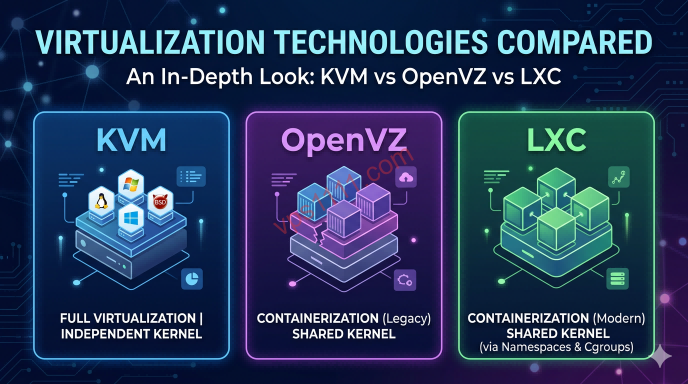
Many budget providers exploit information asymmetry to ripping off customers by repackaging standard virtual machines as “cloud” solutions to charge a premium. To understand the real difference, we must strip away the marketing hype and examine the underlying virtualization architecture. If you are unfamiliar with virtualization fundamentals, we recommend reading: KVM vs OpenVZ vs LXC: Why KVM is the Top Choice for Modern Web Hosting.
Architectural Deep Dive: The Physical Differences Between Cloud and VPS
The primary advantage of cloud servers over traditional VPS lies in fault tolerance and resource decoupling. Here is a technical breakdown of the core differences:
1. Storage Architecture: Local Disks vs. Distributed Storage
Traditional VPS data resides entirely on the local drives of a single physical server—commonly referred to in the industry as the dedicated node. While reputable providers typically configure RAID 10 arrays to mitigate single-drive failures, extreme hardware issues like motherboard burnout or RAID controller corruption will still completely paralyze your VPS, posing a severe risk of unrecoverable data loss. Additionally, if other tenants on the same dedicated node are performing heavy read/write operations, your disk I/O will be severely throttled.
True cloud servers utilize a distributed storage architecture (such as the industry-standard open-source Ceph distributed system). Your compute instance runs on one machine, but your disk data is simultaneously sharded and replicated across three separate storage nodes in the cluster (3-replica redundancy). If one storage node suffers physical damage, the system instantly retrieves data from the remaining nodes, delivering enterprise-grade data durability.
2. Failure Response: Manual Recovery vs. Automated Live Migration
With a traditional VPS, a severe dedicated node failure leaves you with only one option: submit a support ticket and wait for data center technicians to manually replace components or rebuild arrays. Downtime in these scenarios is typically measured in hours or even days.
In contrast, genuine cloud architectures feature automated failover capabilities. When the monitoring system detects an unexpected compute node failure, it automatically restarts your cloud instance on a healthy node within the cluster. This live migration process typically completes in seconds, resulting in near-zero service disruption.
3. Resource Scalability and the Overselling Trap
The performance ceiling of a traditional VPS is strictly bound to its single dedicated node. To maximize profits, unscrupulous providers frequently engage in severe overselling, cramming too many instances onto crowded servers. To protect yourself from this practice, refer to our guide: VPS Benchmarking Guide: How to Detect Fake Core Counts and Overselling.
Conversely, true cloud servers support elastic resource scaling. You can seamlessly upgrade from a 1-core 1GB instance to a 16-core 32GB configuration without downtime (or with only a brief reboot), as compute resources are dynamically allocated across a multi-node physical cluster.
Buyer’s Guide: How to Choose Wisely and Spot Fake Clouds
When procuring infrastructure, it is crucial to evaluate both architectures objectively. Do not blindly chase the “cloud” label and overpay for features you do not need.
1. Counterintuitive Reality: Cloud Disk I/O Isn’t Always Faster Than VPS
True cloud infrastructure is not flawless. Because compute and storage are decoupled, data must traverse the network stack to reach the CPU. Consequently, at the same price point, the 4K random read/write speeds of a genuine cloud server often fall short of a traditional VPS equipped with direct-attached, enterprise-grade NVMe SSDs. If your workload relies heavily on ultra-fast local I/O for intensive database queries, a high-end standalone VPS may actually deliver smoother performance.
2. The False Packaging of Fly-by-Night Providers
The market is flooded with so-called “Cloud VPS” plans costing just $2–$3 per month. In reality, these are just traditional machines wrapped in KVM virtualization. These fly-by-night hosts slash costs by skipping even basic RAID configurations on their dedicated nodes, let alone implementing cross-node disaster recovery. When issues arise, slow support ticket responses or complete radio silence are the norm, making it impossible to guarantee High Availability. For a deeper look into industry practices, see: Why You Should Avoid Sub-$1/Month VPS Plans: Veteran Insights on Overselling and Exit Scams.
3. The Simplest Verification Method
How can you verify if you are purchasing a true cloud instance? Check if the provider’s control panel supports the following features:
Can you detach the system disk (Volume / Block Storage) from your current server and instantly attach it to a newly provisioned instance? Does it support IP floating (Floating IP / Elastic IP), allowing you to unbind a public IP and instantly reassign it to another machine in the cluster? If the answer to both is no, you are likely dealing with a standard single-node VPS.
💡 vps1111 Practical Buying Guide:
- Selection Advice: For personal learning, monitoring probes, or test environments, a traditional VPS is a no-brainer due to its exceptional value. For revenue-generating DTC e-commerce sites or critical enterprise databases, you must use genuine cloud infrastructure from established providers (e.g., AWS EC2, Linode, DigitalOcean).
- Logical Imperative: Even if the cloud platform features 3-replica redundancy, you must still maintain off-site backups! Hardware redundancy only protects against physical drive failures; it cannot prevent accidental database deletion or ransomware encryption. Only off-site, offline snapshot backups can safeguard against logical data corruption.
- Recommendation Rating: ⭐⭐⭐⭐⭐
FAQ: Common Scenarios & Answers
Q1: I’m new to DTC e-commerce. Should I start with a VPS or Cloud?
For newly launched DTC e-commerce sites with modest traffic, we recommend a reputable, lightly oversold traditional VPS optimized for web hosting (such as a KVM instance with enterprise-grade SSD/NVMe storage). This approach offers outstanding value for money and delivers fast local disk I/O, ensuring WordPress pages load instantly. However, you must establish a daily backup routine using plugins to sync data to external storage like Google Drive. Once your monthly revenue stabilizes and zero downtime becomes non-negotiable, you can seamlessly migrate to a true cloud server.
Q2: Are true cloud servers always faster than traditional VPS?
Not necessarily. This is a common misconception. Cloud architecture solves hardware fault tolerance and resource scalability challenges, not absolute single-node compute performance. At identical CPU and memory configurations, a traditional VPS with direct-attached, top-tier local NVMe SSDs will typically outperform the network-attached storage of entry-level cloud servers. Therefore, workloads demanding extreme single-node performance often run faster on premium traditional VPS plans.
Q3: The provider’s website says “Cloud VPS.” Is it actually a cloud?
Most likely not. In modern IDC marketing, “Cloud VPS” has become a meaningless buzzword. Over 95% of products labeled “Cloud VPS” costing under $10/month are simply standard KVM virtual machines partitioned on a single dedicated node. The only reliable way to verify authenticity is to check if the control panel offers true cloud features like elastic networking (Floating IP), decoupled block storage, and instant snapshot-based live migration.