


Executive Summary: In 2026, traditional VPS control panels frequently expose dependency conflicts and security vulnerabilities. Built on Go and Docker, 1Panel is rapidly becoming the new standard for Linux operations and web hosting. This guide provides a technical breakdown of the architectural advantages and performance bottlenecks of 1Panel, cPanel, and CyberPanel, alongside detailed deployment benchmarks and best practices. Always match the panel to your server’s actual specifications; do not attempt to run these on a 512MB low-end VPS.
In 2026, if you are still debating “which control panel is best,” you likely haven’t been burned by bloated, legacy dashboards yet. With the widespread adoption of Cloud Native and containerization, the VPS panel market has undergone brutal consolidation. The era of forced account verification and ripping off customers is over. Today, developers and e-commerce operators prioritize low coupling, high security, and native Docker support.
Today, we are putting the top three market contenders under the microscope: 1Panel (the mature cloud-native standard), cPanel (the legacy hosting veteran), and CyberPanel (the high-speed caching pioneer). Moving past theoretical benchmarks, we will use real-world stress test data from a 1-core 2GB machine to show you exactly which panel will maximize the value of your idle server in 2026.
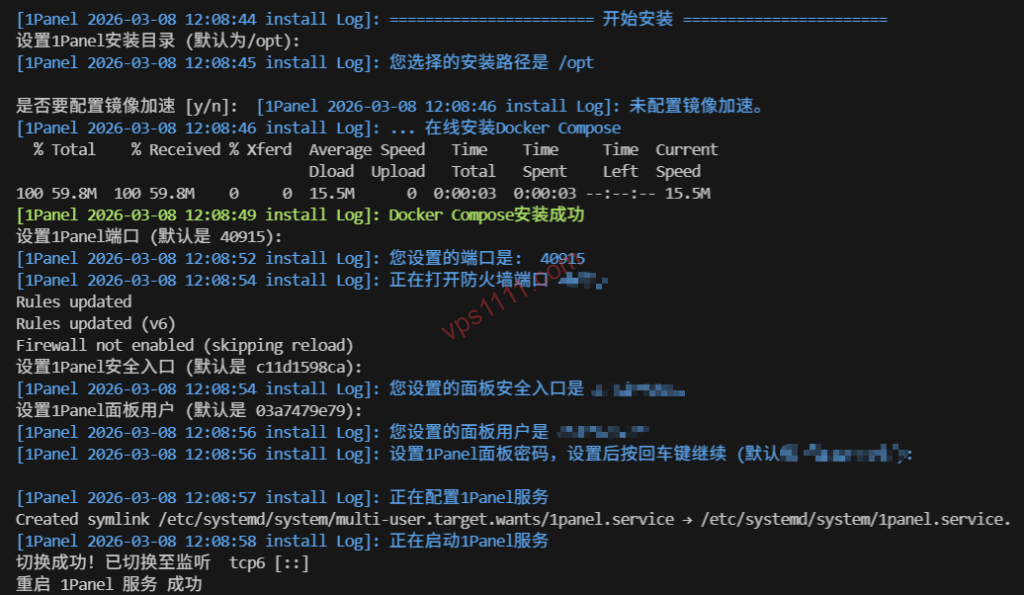
📊 Core Performance & Architecture Breakdown
Before diving into benchmarks, let’s quickly examine the underlying architecture of these three panels using a multi-dimensional technical comparison.
| Comparison Metric | 1Panel (Go) | cPanel | CyberPanel |
|---|---|---|---|
| Core Architecture | Full Containerization | Traditional Compilation | OpenLiteSpeed Native |
| Idle Panel Memory | ~150MB (Ultra-lightweight) | ~300MB (Moderate/Heavy) | ~280MB (Moderate) |
| Web Server Engine | OpenResty / Nginx (Containerized) | Nginx / Apache (Host-level) | OpenLiteSpeed |
| Learning Curve | ⭐⭐ (Requires basic Docker mapping) | ⭐ (Beginner-friendly) | ⭐⭐⭐ (Sysadmin-focused) |
| 2026 Recommendation | ⭐⭐⭐⭐⭐ | ⭐⭐⭐⭐ | ⭐⭐⭐ |
1Panel: Five Years of Refinement, The 2026 Cloud-Native Standard
Many veterans still remember the impressive debut of 1Panel in 2021. After five years of rapid iteration, it has fully evolved from a challenger into the industry standard for administrators who demand pristine, isolated system environments.
1. Why It’s the Top Choice for Advanced VPS Users
- Full Container Isolation: 1Panel operates on a “Docker-first” philosophy. Unlike traditional panels that clutter the host node’s
/usr/localdirectory with mixed PHP, MySQL, and Nginx binaries, 1Panel is built in Go and runs every service inside isolated containers. - Absolute System Purity: This architecture guarantees a pristine host OS. Upgrading a site from PHP 8.2 to 8.4 simply requires pulling a new image and rebuilding the container. You will never risk crashing the entire Linux system due to underlying
glibcoropenssldependency conflicts. - Built-in Enterprise WAF: For e-commerce operators, the natively integrated OpenResty WAF is a major advantage. It effectively blocks malicious SQL injection and HTTP flood attacks out-of-the-box, whereas other panels typically lock these features behind paid subscriptions.
Best For: Developers and sysadmins who prioritize production stability, prefer deploying open-source projects via Docker (like Uptime Kuma or automated scrapers), and operate mid-to-high-tier VPS instances with at least 1GB of RAM.
cPanel: The Legacy Veteran and Go-To Choice for Beginners
Even in 2026, cPanel maintains a massive ecosystem and the highest market share in the hosting control panel space.
1. Why It Remains Irreplaceable
While some criticize its codebase for being bloated and dislike legacy account-binding requirements, one fact remains undeniable: when it comes to simplifying web hosting, no competitor easily surpasses cPanel.
- Ecosystem & Troubleshooting Resources: cPanel’s true moat isn’t its codebase, but the tens of thousands of troubleshooting guides available online. Whether you encounter obscure 502 errors or complex URL rewrite rules, a quick search yields step-by-step solutions. Its highly polished GUI makes server management incredibly intuitive.
- Rapid LNMP Deployment: While developers may complain about slower compilation times, for business-focused users who don’t write code, clicking a single button to automatically configure Nginx + MySQL + PHP and deploy SSL certificates provides a fully guided experience that is hard to beat.
Best For: Beginners with zero Linux experience, enterprise teams requiring rapid deployment turnaround, and business-driven users who prefer avoiding complex command-line configurations.
CyberPanel: The Specialized Powerhouse for WordPress Optimization
If you primarily use WordPress for cross-border DTC sites, or if you are a dedicated advocate of OpenLiteSpeed (OLS), CyberPanel remains the top choice in 2026.
1. Speed Is Everything
- Native LSCache Integration: For complex dynamic pages (like WooCommerce carts), OpenLiteSpeed combined with the LSCache plugin delivers superior cache hit rates and concurrency handling, easily outperforming unoptimized traditional Nginx setups.
- HTTP/3 (QUIC) Support: CyberPanel enables HTTP/3 by default. If your VPS is located in a distant region like Los Angeles, enabling QUIC significantly reduces Time to First Byte (TTFB) over high-latency intercontinental links, drastically mitigating loading delays caused by network jitter.
- Compatibility Note: CyberPanel’s community is primarily English-speaking. Some niche themes may have less robust URL rewrite compatibility compared to Nginx, and the interface localization for non-English languages remains incomplete.
Best For: Users focused on WordPress SEO rankings, and international site operators who demand maximum page load speeds and high concurrency capacity.
🛠️ High-Concurrency Stress Test: Real-World Performance on 1-Core / 2GB
We ran a 1,000 concurrent user simulation using Loader.io on a test machine equipped with an AMD EPYC processor, 1-core CPU, 2GB RAM, and a Los Angeles node with premium Tier-1 routing:
- 1Panel: Idle memory stabilized at 150MB. During traffic spikes, Docker’s resource isolation kept the panel responsive, though the unrestricted MySQL container triggered a brief Out of Memory (OOM) warning.
- cPanel: Idle memory hovered around 310MB. Host CPU load spiked quickly under high concurrency, but because it directly utilizes system resources, it remained highly stable under light-to-moderate traffic.
- CyberPanel: Idle memory sat around 280MB. With LSCache enabled, it handled the same 1,000 concurrent requests with the lowest CPU utilization of the three, demonstrating exceptional static cache delivery capabilities.
💡 vps1111 Selection & Best Practices Guide
💡 2026 Control Panel Deployment Best Practices:
- Avoid Severe Overselling: Whether you use 1Panel or cPanel, if your provider heavily engages in CPU or I/O overselling, the dashboard will become completely unresponsive. Always pair your panel with a reliable VPS featuring premium low-latency routing (e.g. direct peering).
- 512MB RAM Warning: Do not install a control panel on a 512MB low-end VPS! If you must host a site, install Caddy + SQLite directly via CLI. Forcing Docker or a full LNMP stack will almost certainly cause daily crashes.
- Dashboard Port Security: Automated botnet scans are highly aggressive in 2026. Regardless of the panel you choose, change the default login port immediately after installation and configure your cloud provider’s Security Group to only allow access from your specific IP address.
Frequently Asked Questions (FAQ)
Which consumes less memory: 1Panel or cPanel?
In a completely idle state, the 1Panel core daemon uses only about 150MB of RAM, while cPanel typically sits around 300MB. However, it’s important to note that 1Panel’s 150MB does not include the overhead of Docker containers required for Nginx or MySQL. cPanel usually mounts these base environments in the background upon installation. Overall, 1Panel offers more isolated and granular resource control, but the total memory consumption difference becomes negligible once actual workloads are running.
Which panel is recommended for absolute beginners?
For users completely unfamiliar with the Linux CLI or Docker volume mapping, cPanel is highly recommended. Its GUI logic is highly intuitive, and the ecosystem contains a massive library of detailed community troubleshooting guides. This drastically reduces the trial-and-error cost for beginners configuring URL rewrites, reverse proxies, and SSL certificates.
Which panel delivers the fastest speeds for cross-border WordPress e-commerce sites?
CyberPanel is the top recommendation. It natively integrates the OpenLiteSpeed web server and the highly optimized LSCache plugin, with full support for the modern HTTP/3 (QUIC) protocol. When paired with a VPS on premium direct-peering routes, it maximizes Time to First Byte (TTFB) and overall concurrency capacity for international visitors.